✨ Custom Tables in Matter Management
The Custom Tables feature allows you to capture and manage structured information directly within your matters. Instead of relying on spreadsheets or free-text fields, you can now organize data in clear, consistent tables — right where your legal work happens ⚖️.
☝ What Are Custom Tables?
Custom Tables let you create a table displayed in a dedicated tab within a specific Matter type. Each table is designed to store structured data in rows and columns, making information easier to enter, review, and maintain over time.
Custom Tables are particularly useful for:
- ? A list of claims with related amounts
- ? A list of contacts involved in a matter, with their roles
- ✍ Any recurring or structured information linked to a matter
This approach reduces manual tracking in Excel and keeps all matter-related data centralized.
✍ How Custom Tables Work
- Custom Tables are configured from Matter type configuration
- Each table appears as a separate tab inside the matter
- Users can add, update, and review rows directly in the matter
✅ This ensures consistency across matters of the same type and improves data quality.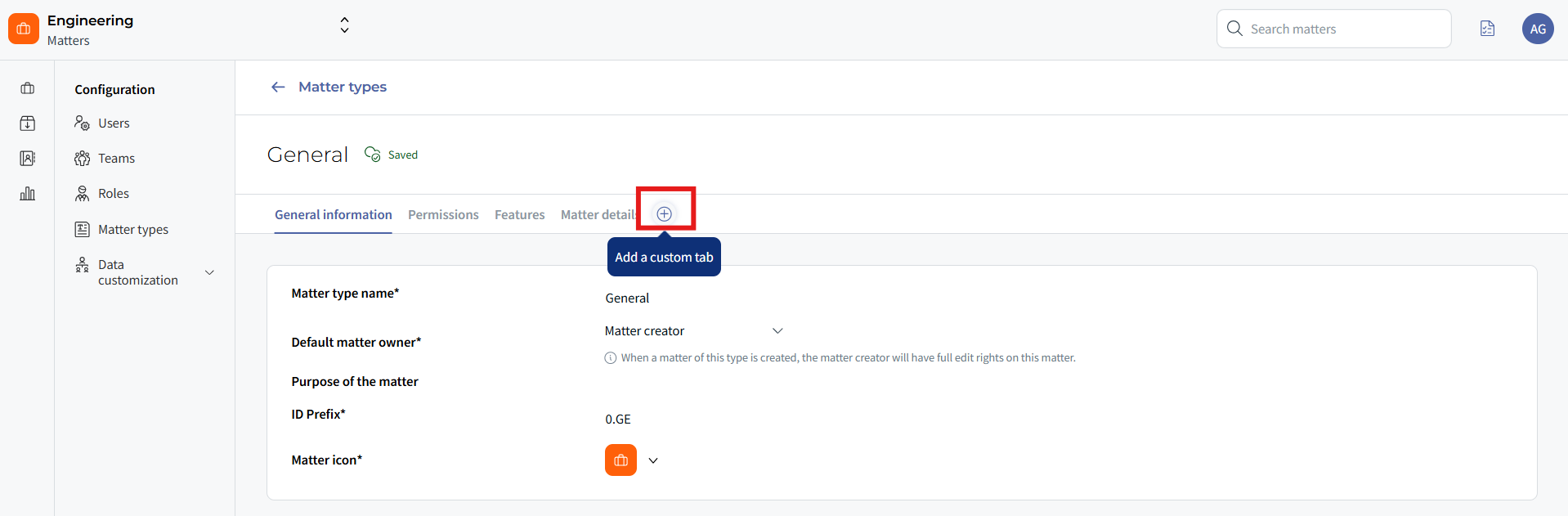
⭐ Available Fields (Rollout Plan)
To ensure a smooth onboarding, the feature is being released in two phases.
Phase 1 – Available Now (V1)
The following field types are already available in production:
- Text fields
- Date fields
- Amount fields
- Number fields
- Contact fields
- List fields
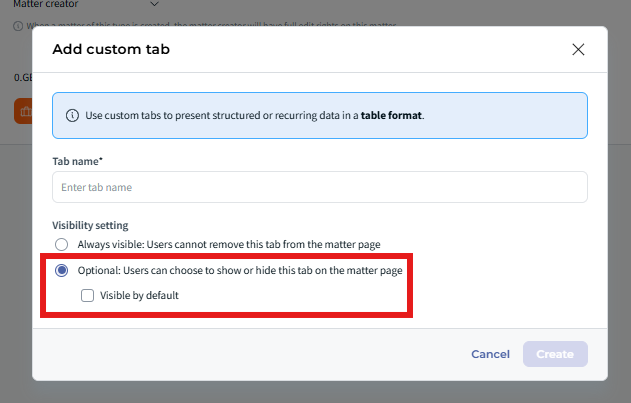
- Show / hide table tabs depending on user needs
⭐ Key Benefits
- Faster and more structured data entry
- Less reliance on external spreadsheets
- Improved visibility on key matter information
- Better consistency across similar matters
❓ Things to Know
- Custom Tables are linked to Matter types, not individual matters.
- Only configured field types are available depending on the rollout phase.
- Permissions to edit tables follow standard Matter access rights.
✨ Conclusion
Custom Tables bring structure and clarity to your Matter Management workflows. By capturing key information in a consistent, tabular format, Legal teams save time, reduce errors, and keep all critical data directly within the matter ⚡.
Was this article helpful?
That’s Great!
Thank you for your feedback
Sorry! We couldn't be helpful
Thank you for your feedback
Feedback sent
We appreciate your effort and will try to fix the article