Our Spend Management feature helps legal teams take full control of outside counsel costs, track budgets, and gain visibility on expenses related to each matter. With Spend Management, you can analyze legal spend, streamline invoice handling, and make data-driven decisions ⚖️.
☝ What is Spend Management?
Spend Management centralizes all expenses linked to your legal matters. It allows you to:
- ✅ Record and track invoices from law firms and vendors
- ✅ Compare actual spend against allocated budgets
- ✅ Monitor spend per matter, per vendor, or per time period
- ✅ Generate reports to identify savings opportunities
This means you’ll always know where your budget goes, avoid overspending, and better justify costs to the business.
✍ How to Access Spend Management
- Open the matter you want to manage spend for.
- Click on the Spend tab within the matter workspace.
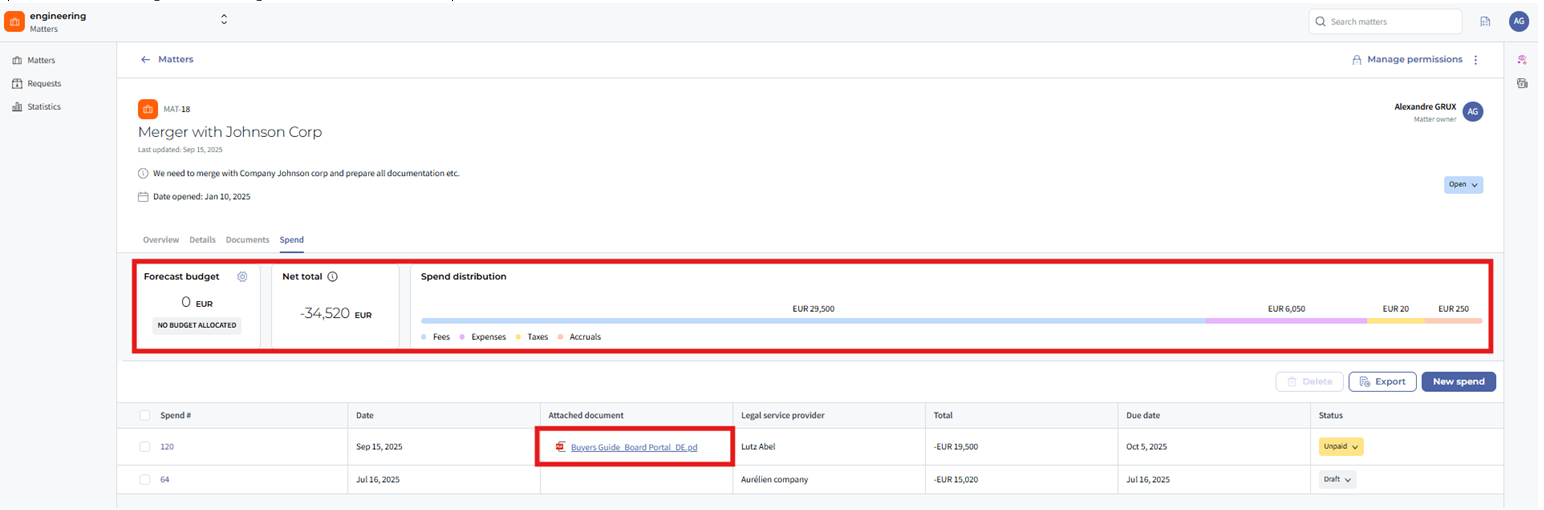
You’ll now see all existing invoices and budget allocations tied to this matter.
✍ Adding a New Expense or Invoice
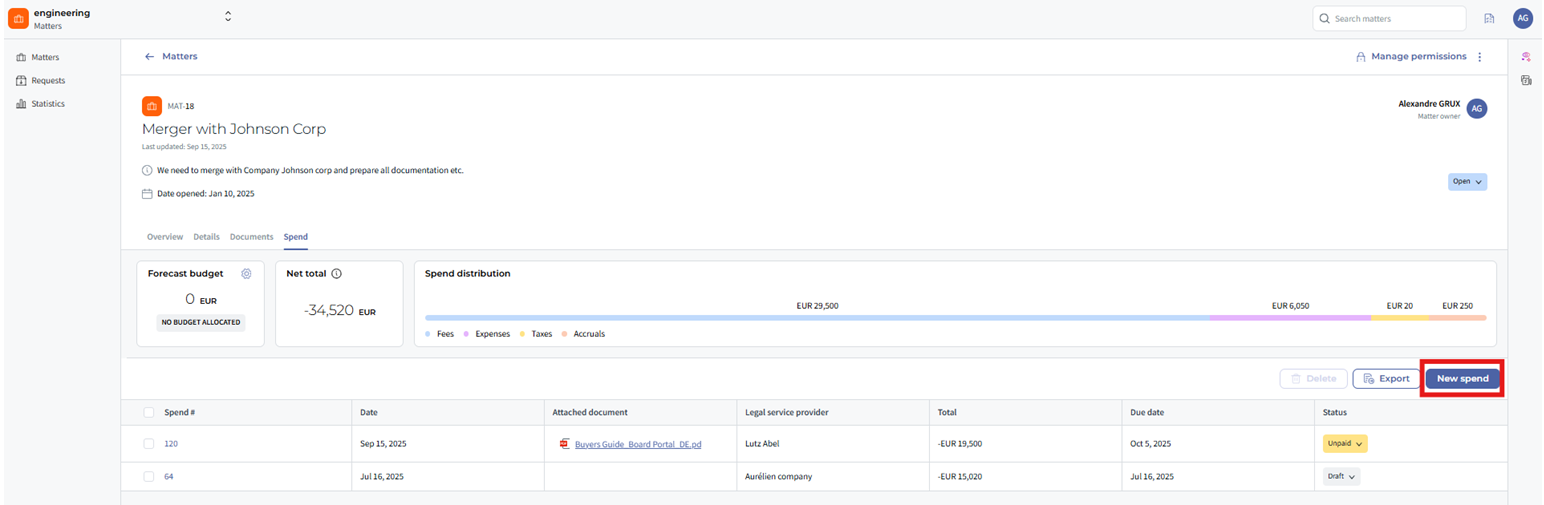
- Within the Spend tab, click Add Invoice.
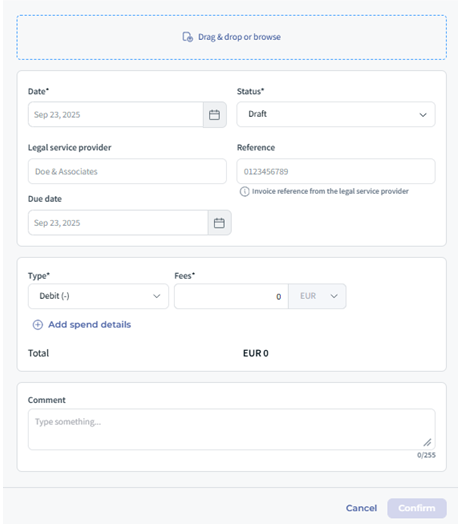
- Enter the required details:
- Vendor / Law Firm Name
- Invoice Number & Date
- Amount
- Related Matter
- Notes or Description (optional)
- Attach supporting files if available (e.g., PDF invoices).
- Click Save to register the expense.
❗ Note: Some fields may be mandatory depending on your company’s configuration.
⭐ Tracking Budgets and Reports
Spend Management also helps you monitor budgets and generate insights:
- Budget Allocation: Assign a budget to each matter or vendor.
- Spend vs Budget: View progress bars showing current spend against limits.
- Reports: Export or visualize spend by matter, department, or vendor to identify trends.
This transparency empowers you to negotiate better rates with law firms and optimize your legal operations ✊.
☝ Tips & Best Practices
- ✍ Keep invoices updated in real time to avoid last-minute surprises.
- ⚖️ Use budget allocations to prevent overspending early in the matter lifecycle.
- ⭐ Run monthly spend reports to maintain visibility and ensure compliance with internal policies.
❓ Limitations & Things to Know
- Spend Management depends on accurate and timely data entry — incomplete invoices reduce reporting quality.
- Integration with e-billing providers may require additional setup.
- Permissions: Only users with the right access level can add or edit invoices.
✨ Conclusion
Spend Management in DiliTrust Matter Management makes it easy to track costs, stay within budget, and prove the value of your legal team. By combining transparency with actionable insights, you gain both financial control and stronger business alignment.
Was this article helpful?
That’s Great!
Thank you for your feedback
Sorry! We couldn't be helpful
Thank you for your feedback
Feedback sent
We appreciate your effort and will try to fix the article